How to play
A good snowball fight starts with one throw.
New to Snowbop? Start with a Solo round on Snow Island, then use this guide to explore team play and private rooms.
01
Find your feet in Solo
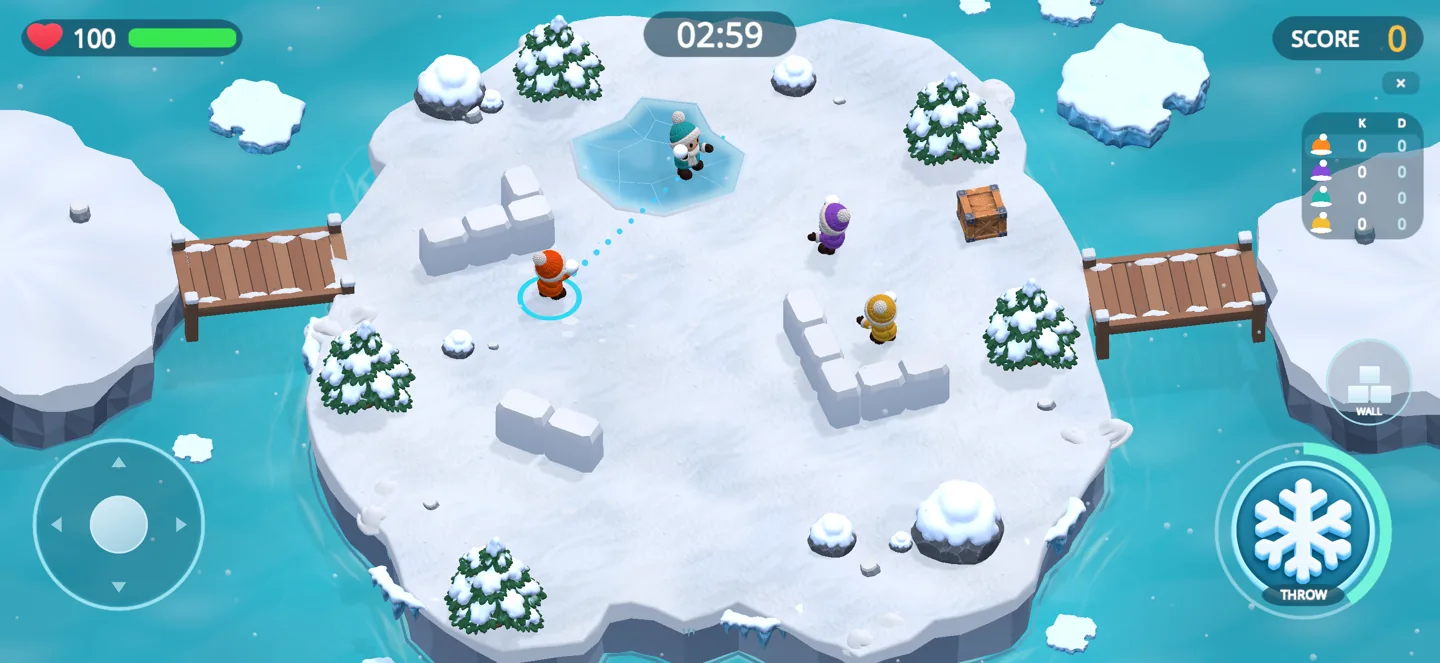
Choose Solo and Snow Island to begin with the free arena. Use the movement control to circle obstacles and keep space between you and incoming snowballs. Try moving into cover before lining up your next throw.
02
Charge, aim and release
Charge your snowball, aim at a rival and release. Walls, trees and other obstacles change the angle of a throw. Use your snow wall to create cover when you need a moment to reposition. The host can choose automatic aiming rules for a match.
03
Create a private room for friends
For online play, each participant needs Snowbop Plus and an internet connection. Open Multiplayer or Co-op and create a room. The host selects the arena and rules. Share the room code or an invitation with your friend; the friend opens the matching mode, enters the code and confirms joining. Opening a room link prepares the invitation; it does not join a match automatically.
04
Stay together in Co-op
Co-op brings boss battles into the snowball arena. Watch the boss attacks, keep moving and help teammates who have become snowmen. After a boss victory, collect the gifts that appear before leaving the arena.
05
Build your collection
Open your collection to reveal pieces hidden in ice. Use Ice Points to fill missing pieces. Collection progress, monthly league progress and trophy history give you things to come back to between matches.
Ready for your first round?
Download Snowbop and start with Solo on Snow Island. For purchase, account or invitation help, visit the support page.
Download on the App Store